Profile picture and banner sizes for every platform
Almost every platform shows your profile picture as a small circle and asks for a square upload, but the recommended profile picture size differs, and two of the biggest platforms do not publish one at all. This guide lists what each platform’s own help pages say about profile picture, cover and banner sizes, read on the date at the top and linked below, and says plainly where there is no official number.
Checklist
Quick answers
- Profile pictures: upload a square. 400 x 400 is the published minimum or recommendation on LinkedIn and X; 800 x 800 is a safe upload everywhere, and 1080 x 1080 where no size is published (Instagram, Threads).
- LinkedIn cover 1584 x 396. X header 1500 x 500. Facebook Page cover 851 x 315. YouTube banner 2560 x 1440 with the 1235 x 338 safe area.
- Keep the file under 2 MB and it passes every published limit in the tables below.
- Keep the face or logo in the centre: every platform in the table crops the square to a circle.
Reference
Profile pictures
The "Suggested upload" column is our advice, not the platform’s: a square comfortably larger than the display size stays sharp on high-density screens and survives the platform’s compression. Where a platform publishes a number, its number is in the "Official guidance" column.
| Platform | Official guidance | Shown as | Suggested upload |
|---|---|---|---|
| At least 400 x 400, up to 7680 x 4320; PNG or JPG, 8 MB | Circle | 800 x 800 | |
| X (Twitter) | 400 x 400 recommended; JPG, GIF or PNG under 2 MB; no animated GIF | Circle | 400 x 400 |
| Facebook (Pages) | Best at 320 x 320; displays at 176 x 176 on computers, 196 x 196 on phones | Circle | 640 x 640 |
| YouTube | Renders at 98 x 98; JPG, GIF, BMP or PNG, under 15 MB, no animated GIF | Circle | 800 x 800 |
| No pixel size published | Circle | 1080 x 1080 | |
| Threads | No pixel size published; edited from your Threads profile | Circle | 1080 x 1080 |
In depth
Why profile pictures are circles, and what that means for you
Every platform in the table crops the square you upload into a circle when it displays it. The corners are never seen. Centre your face, leave space above the head, and avoid putting anything important near the edges. Uploading a circle-shaped PNG with transparent corners does not help, because the platform crops its own circle, and some fill transparent areas with white or black.
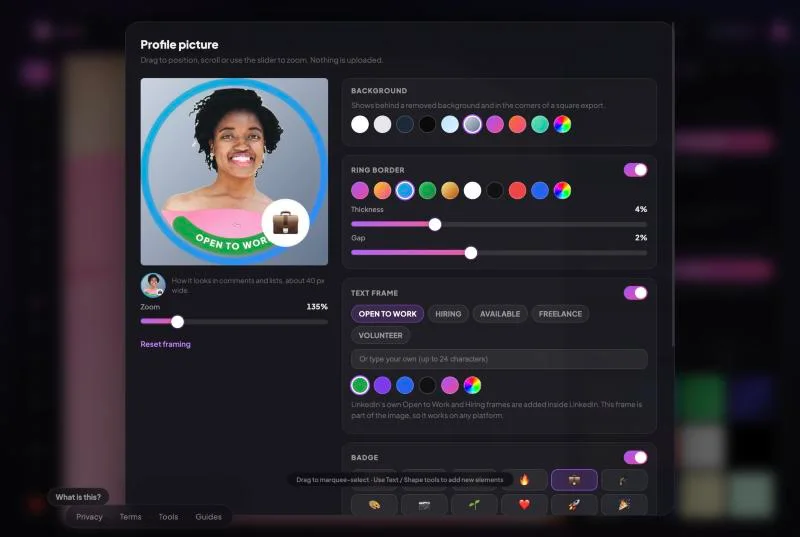
Rings, borders and badges are a personal choice. LinkedIn’s own Open to Work and Hiring frames are added inside LinkedIn and tied to your profile settings; a ring you design yourself is simply part of the image, which works on any platform. Keep a designed ring thin enough that your face stays the focus at 40 pixels, the size most people will see it in comments and lists.
In depth
One master photo for every platform
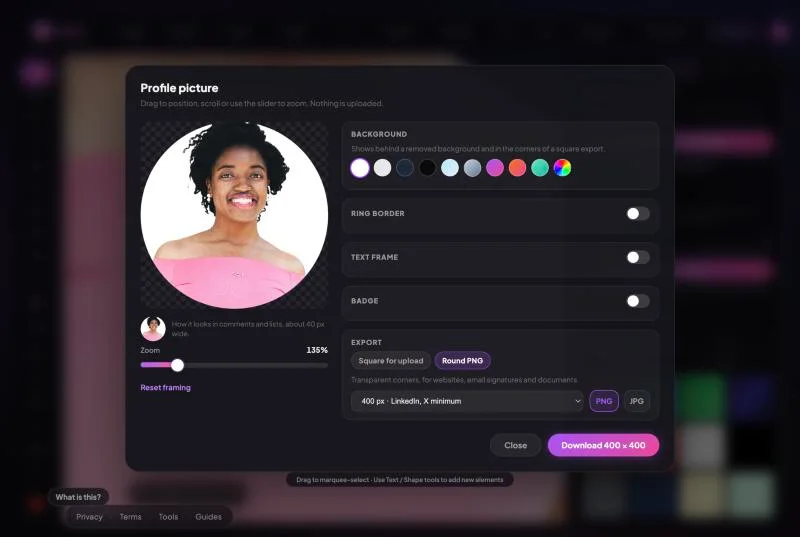
Make one square master, 1080 x 1080 or larger, with the face or logo centred and some space around it. From that master every platform size in the table above is a plain downscale, so the picture looks the same on LinkedIn, X, Facebook, YouTube, Instagram and Threads. EditXo’s Profile Picture Maker shows the circle crop while you position the photo, so you can see what the platform will cut off before you export.
In pictures
See it
What size should a profile picture be?
Square. 400 x 400 pixels meets the published minimum on LinkedIn and X, and 800 x 800 is a safe upload for every platform in the table. Where no size is published, use 1080 x 1080.
What is the LinkedIn profile picture size?
At least 400 x 400 pixels and up to 7680 x 4320, as a PNG or JPG under 8 MB. 800 x 800 is a sensible upload. The LinkedIn cover is 1584 x 396.
What is the Facebook profile picture size?
Facebook says the picture looks best at 320 x 320 pixels and displays at 176 x 176 on computers and 196 x 196 on phones. A 640 x 640 upload stays sharp on high-resolution screens.
What is the YouTube banner size?
2560 x 1440 pixels, at least 2048 x 1152, under 6 MB. Keep text and logos inside the central 1235 x 338 safe area, which is all that shows on phones.
What size is the Instagram profile picture?
Instagram does not publish one. It shows profile pictures as a small circle, so a square of 1080 x 1080 with your face centred is a safe upload. Treat specific numbers you see elsewhere as estimates.
Does Threads use my Instagram profile picture?
Threads profiles are edited from Threads itself, and Threads publishes no image size. A square photo with the face centred works, as it does on Instagram.
Should I upload a round PNG?
For social platforms, no: upload a square and let the platform crop its circle. A round PNG with transparent corners is useful for websites, email signatures and documents.
Why does YouTube say 98 x 98 when everyone says 800 x 800?
YouTube’s help page states the size it renders at, 98 x 98. Uploading larger, such as 800 x 800, gives it more detail to scale down from, which looks sharper on high-density screens. That larger figure is common advice, not a YouTube requirement.
Do it yourself
Tools used in this guide
Check the numbers
Sources and further reading
Ready to try it?
Use the free tool or the full photo editor. Everything stays on your device.